:::{default-domain} bzl :::
How to integrate a debugger
This guide explains how to integrate a debugger with your Python applications built with rules_python.
There are two ways available: the {obj}--debugger flag, and the {any}RULES_PYTHON_ADDITIONAL_INTERPRETER_ARGS environment variable.
{obj}--debugger flag
Basic Usage
The {obj}--debugger flag allows you to inject an extra dependency into py_test and py_binary targets so that they have a custom debugger available at runtime. The flag is roughly equivalent to manually adding it to deps of the target under test.
To use the debugger, you typically provide the --debugger flag to your bazel run command.
Example command line:
bazel run --@rules_python//python/config_settings:debugger=@pypi//pudb \
    //path/to:my_python_binary
This will launch the Python program with the @pypi//pudb dependency added.
The exact behavior (e.g., waiting for attachment, breaking at the first line) depends on the specific debugger and its configuration.
:::{note} The specified target must be in the requirements.txt file used with pip.parse() to make it available to Bazel. :::
Python PYTHONBREAKPOINT Environment Variable
For more fine-grained control over debugging, especially for programmatic breakpoints, you can leverage the Python built-in breakpoint() function and the PYTHONBREAKPOINT environment variable.
The breakpoint() built-in function, available since Python 3.7, can be called anywhere in your code to invoke a debugger. The PYTHONBREAKPOINT environment variable can be set to specify which debugger to use.
For example, to use pdb (the Python Debugger) when breakpoint() is called:
PYTHONBREAKPOINT=pudb.set_trace bazel run \
    --@rules_python//python/config_settings:debugger=@pypi//pudb \
    //path/to:my_python_binary
For more details on PYTHONBREAKPOINT, refer to the Python documentation.
Setting a default debugger
By adding settings to your user or project .bazelrc files, you can have these settings automatically added to your bazel invocations. e.g.
common --@rules_python//python/config_settings:debugger=@pypi//pudb
common --test_env=PYTHONBREAKPOINT=pudb.set_trace
Note that --test_env isn't strictly necessary. The py_test and py_binary rules will respect the PYTHONBREAKPOINT environment variable in your shell.
debugpy (e.g. vscode)
You can integrate debugpy (i.e. the debugger used in vscode or PyCharm) by using a launcher script. This method leverages {any}RULES_PYTHON_ADDITIONAL_INTERPRETER_ARGS to inject the debugger into the Bazel-managed Python process.
For the remainder of this document, we assume you are using vscode.
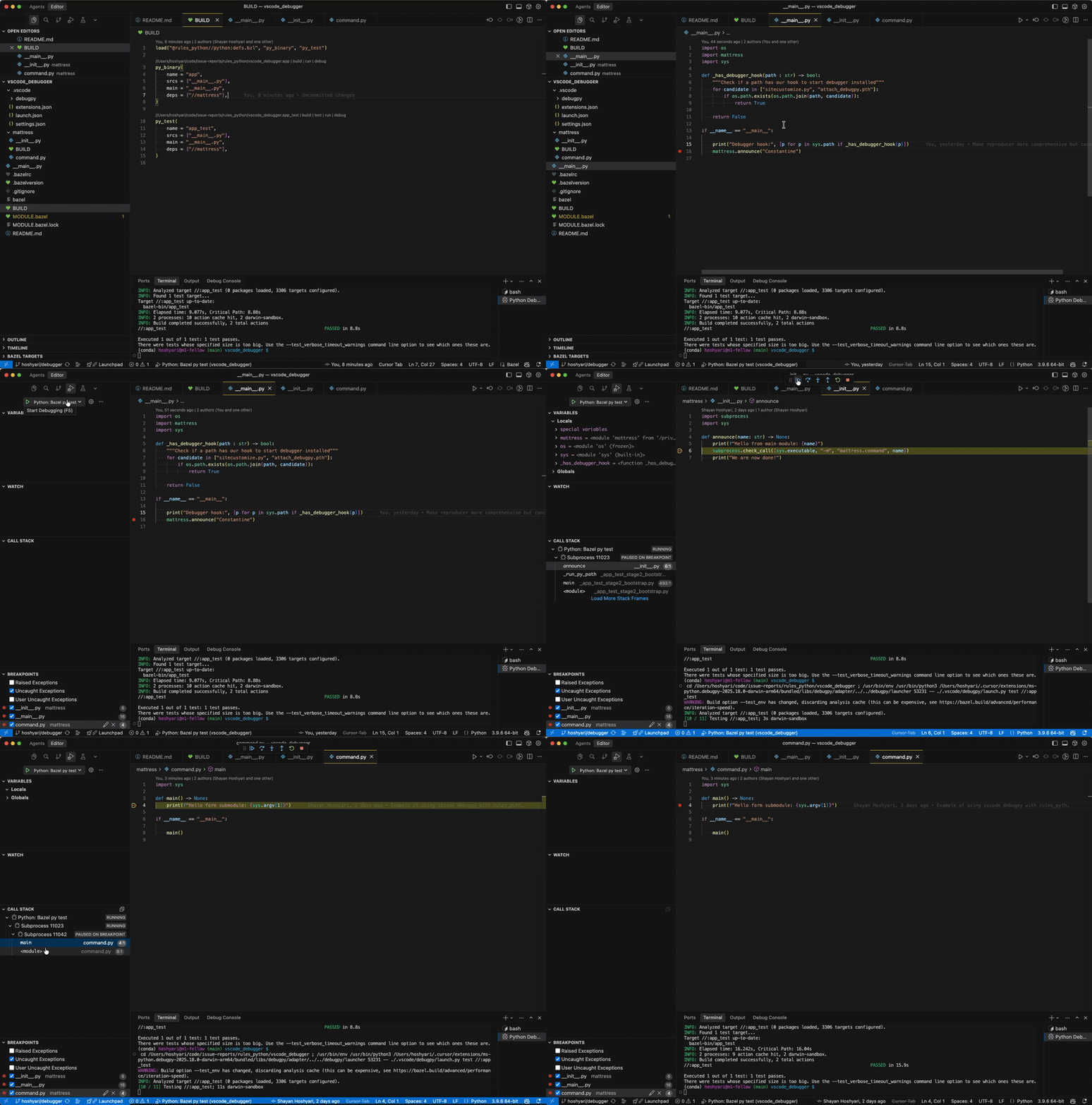
Create a launcher script: Save the following Python script as
.vscode/debugpy/launch.py(or another location, adjustinglaunch.jsonaccordingly). This script bridges VS Code's debugger with Bazel.""" Launcher script for VS Code (debugpy). This script is not managed by Bazel; it is invoked by VS Code's launch.json to wrap the Bazel command, injecting the debugger into the runtime environment. """ import argparse import os import shlex import subprocess import sys from typing import cast def main() -> None: parser = argparse.ArgumentParser(description="Launch bazel debugpy with test or run.") parser.add_argument("mode", choices=["test", "run"], help="Choose whether to run a bazel test or run.") parser.add_argument("args", help="The bazel target to test or run (e.g., //foo:bar) and any additional args") args = parser.parse_args() # Import debugpy, provided by VS Code try: # debugpy._vendored is needed for force_pydevd to perform path manipulation. import debugpy._vendored # type: ignore[import-not-found] # pydev_monkey patches os and subprocess functions to handle new launched processes. from _pydev_bundle import pydev_monkey # type: ignore[import-not-found] except ImportError as exc: print(f"Error: This script must be run via VS Code's debug adapter. Details: {exc}") sys.exit(-1) # Prepare arguments for the monkey-patched process. # is_exec=False ensures we don't replace the current process immediately. patched_args = cast(list[str], pydev_monkey.patch_args(["python", "dummy.py"], is_exec=False)) pydev_monkey.send_process_created_message() # Extract the injected arguments (skipping the dummy python executable and script). # These args invoke the pydevd entrypoint which connects back to the debugger. rules_python_interpreter_args = " ".join(patched_args[1:-1]) bzl_args = shlex.split(args.args) if not bzl_args: print("Error: At least one argument (the target) is required.") sys.exit(-1) cmd = [ "bazel", args.mode, # Propagate environment variables to the test/run environment. "--test_env=PYDEVD_RESOLVE_SYMLINKS", "--test_env=RULES_PYTHON_ADDITIONAL_INTERPRETER_ARGS", "--test_env=IDE_PROJECT_ROOTS", bzl_args[0], ] if bzl_args[1:]: if args.mode == "run": # Append extra arguments for 'run' mode. cmd.append("--") cmd.extend(bzl_args[1:]) elif args.mode == "test": # Append extra arguments for 'test' mode. cmd.extend([f"--test_arg={arg}" for arg in bzl_args[1:]]) env = { **os.environ.copy(), # Inject the debugger arguments into the rules_python toolchain. "RULES_PYTHON_ADDITIONAL_INTERPRETER_ARGS": rules_python_interpreter_args, # Ensure breakpoints hit the original source files, not Bazel's symlinks. "PYDEVD_RESOLVE_SYMLINKS": "1", } # Execute Bazel. result = subprocess.run(cmd, env=env, check=False) sys.exit(result.returncode) if __name__ == "__main__": main()
Configure
launch.json: Add the following configurations to your.vscode/launch.json. This tells VS Code to use the launcher script.{ "version": "0.2.0", "configurations": [ { "name": "Python: Bazel py run", "type": "debugpy", "request": "launch", "program": "${workspaceFolder}/.vscode/debugpy/launch.py", "args": ["run", "${input:BazelArgs}"], "console": "integratedTerminal" }, { "name": "Python: Bazel py test", "type": "debugpy", "request": "launch", "program": "${workspaceFolder}/.vscode/debugpy/launch.py", "args": ["test", "${input:BazelArgs}"], "console": "integratedTerminal" } ], "inputs": [ { "id": "BazelArgs", "type": "promptString", "description": "Bazel target and arguments (e.g., //foo:bar --my-arg)" } ] }
Note: If you find
justMyCodebehavior is incompatible with Bazel's symlinks (causing breakpoints to be missed), you can set"justMyCode": falseinlaunch.jsonand use theIDE_PROJECT_ROOTSenvironment variable (set to"${workspaceFolder}") to explicitly map your workspace.